
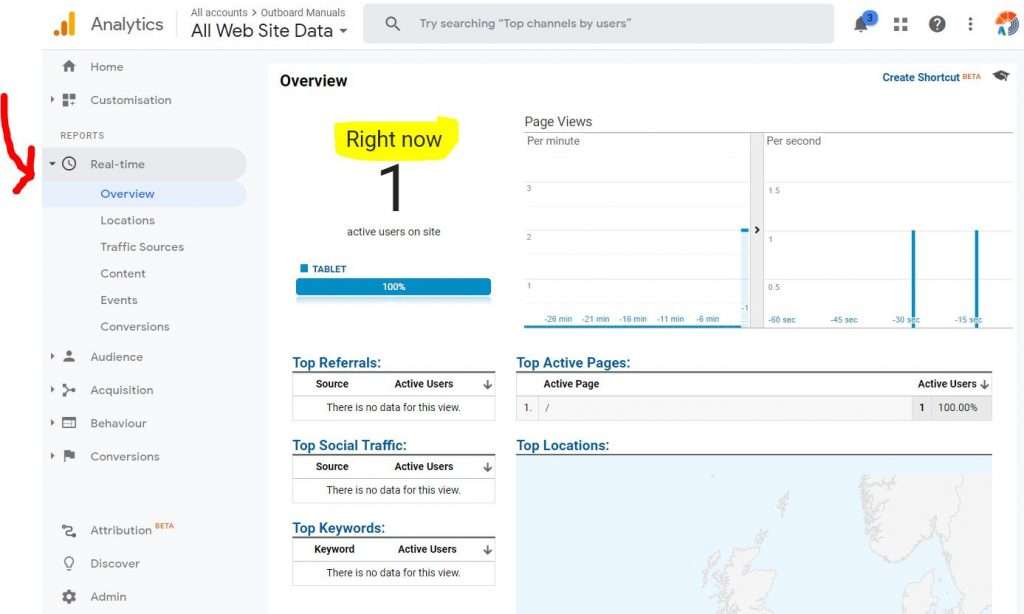
Google Analytics is a powerful tool that provides valuable insights into the performance of your website. When integrated with WordPress, one of the most popular content management systems (CMS) in the world, it becomes even more beneficial for website owners and administrators.
WordPress offers a seamless integration with Google Analytics through various plugins, making it easy for users to track and analyse their website traffic, user behaviour, conversions, and much more. By utilising Google Analytics with WordPress, website owners can make informed decisions to improve their online presence and achieve their business goals.
One of the key advantages of using Google Analytics with WordPress is the ability to track important metrics such as page views, bounce rate, session duration, and user demographics. This data provides valuable insights into how visitors interact with your website, which pages are most popular, and where improvements can be made to enhance user experience.
Furthermore, Google Analytics allows users to set up goals and track conversions on their WordPress site. Whether it’s signing up for a newsletter, making a purchase, or completing a contact form, website owners can easily monitor these actions and evaluate the effectiveness of their marketing campaigns.
Another benefit of integrating Google Analytics with WordPress is the ability to create custom reports and dashboards tailored to specific business needs. By analysing data trends over time and comparing different metrics, website owners can gain a deeper understanding of their audience and make data-driven decisions to optimise their online strategy.
In conclusion, combining Google Analytics with WordPress is a winning combination for anyone looking to enhance their online presence. With its robust tracking capabilities and user-friendly interface, this integration empowers website owners to measure performance accurately, identify opportunities for growth, and ultimately achieve success in the digital landscape.
Top 5 Tips for Optimising Google Analytics on Your WordPress Site
- Install Google Analytics plugin on your WordPress site for easy integration.
- Set up goals in Google Analytics to track important actions on your website.
- Use UTM parameters to track the effectiveness of your marketing campaigns in Google Analytics.
- Regularly check and analyse your Google Analytics data to gain insights into user behaviour.
- Utilise custom reports and dashboards in Google Analytics to monitor specific metrics relevant to your WordPress site.
Install Google Analytics plugin on your WordPress site for easy integration.
To seamlessly integrate Google Analytics with your WordPress site, a highly recommended tip is to install a Google Analytics plugin. By adding this plugin to your WordPress dashboard, you can easily set up and configure Google Analytics tracking without the need for complex coding or technical expertise. This simple yet effective solution streamlines the integration process, allowing you to access valuable website data and insights directly within your WordPress environment. With the Google Analytics plugin, monitoring key metrics, tracking user behaviour, and optimising your online strategy becomes more accessible and efficient, empowering you to make informed decisions that drive success for your website.
Set up goals in Google Analytics to track important actions on your website.
Setting up goals in Google Analytics is a crucial step to track important actions on your website when integrated with WordPress. By defining specific goals such as newsletter sign-ups, purchases, or form submissions, website owners can measure the effectiveness of their marketing efforts and gain valuable insights into user behaviour. Setting up goals allows you to monitor conversions accurately, identify areas for improvement, and make data-driven decisions to enhance the overall performance of your website.
Use UTM parameters to track the effectiveness of your marketing campaigns in Google Analytics.
Utilising UTM parameters is a valuable tip to enhance the effectiveness of your marketing campaigns in Google Analytics when integrated with WordPress. By adding UTM parameters to your URLs, you can track the performance of specific campaigns, ads, or links accurately. This allows you to identify which marketing efforts are driving traffic to your website, measure their impact on conversions, and make informed decisions to optimise your strategies for better results. Implementing UTM parameters in Google Analytics for WordPress enables you to gain deeper insights into the effectiveness of your marketing initiatives and maximise the return on investment for your online efforts.
Regularly check and analyse your Google Analytics data to gain insights into user behaviour.
Regularly checking and analysing your Google Analytics data is essential for gaining valuable insights into user behaviour on your WordPress website. By monitoring metrics such as page views, session duration, bounce rate, and user demographics, you can understand how visitors interact with your site and identify areas for improvement. This data-driven approach enables you to make informed decisions to enhance user experience, optimise content, and ultimately achieve your online goals effectively.
Utilise custom reports and dashboards in Google Analytics to monitor specific metrics relevant to your WordPress site.
Utilising custom reports and dashboards in Google Analytics is a valuable tip for WordPress users looking to monitor specific metrics relevant to their site. By creating custom reports tailored to their unique business objectives and audience behaviour, website owners can gain deeper insights into key performance indicators such as traffic sources, user engagement, conversion rates, and more. These customised reports allow for a more comprehensive analysis of data trends and help in making informed decisions to optimise the WordPress site for better results. Additionally, setting up custom dashboards enables users to visualise important metrics at a glance, making it easier to track progress towards their goals and identify areas for improvement. By leveraging custom reports and dashboards in Google Analytics, WordPress users can enhance their understanding of website performance and take proactive steps towards achieving online success.