
Google Local Business SEO: A Practical Guide for UK Businesses
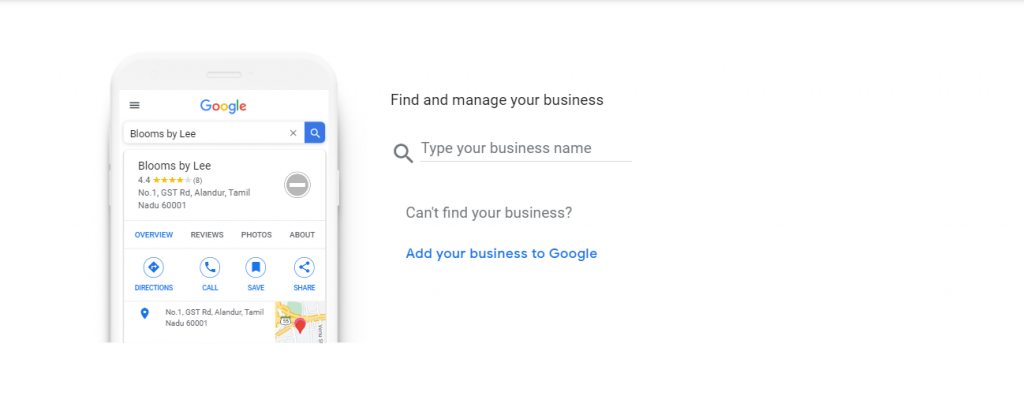
When people search online for a nearby service, they often want to find a business they can contact or visit straight away. Google Local SEO helps your business appear in relevant local search results, including Google Maps and the local results shown in Google Search.
A key part of this is your Google Business Profile, previously known as Google My Business. A complete, accurate profile can help potential customers understand what you offer, where you operate and how to get in touch. It does not guarantee a particular position in search results, but it gives Google and customers useful information about your business.
What is local SEO?
Local SEO is the process of improving your online presence so your business can be found by people searching for products or services in a particular area. For example, a person might search for “plumber in Leeds”, “nearby coffee shop” or “accountant in Bristol”.
Local search visibility can be influenced by several factors. Google says local results are mainly based on relevance, distance and prominence. In simple terms, these refer to how well your business matches a search, how close it is to the searcher and how well known or trusted it appears online.
Set up and verify your Google Business Profile
Start by claiming or creating your Google Business Profile and completing Google’s verification process. Verification helps confirm that you are authorised to manage the business information shown on Google.
Choose the most accurate primary business category, then add any relevant additional categories. Categories help describe what your business does, so avoid selecting options simply because they seem popular. Check that your business name follows Google’s guidelines and matches how it is presented in the real world. Adding extra keywords or location names to your business name when they are not part of its genuine name can breach Google’s rules.
Keep your business information consistent
Make sure your business name, address, phone number and website are accurate. These details are sometimes referred to as NAP information. Use the same information across your website, Google Business Profile and reputable online directories.
If your business serves customers at their location rather than welcoming them at a public premises, set it up as a service-area business and hide your address if appropriate. Only display a shopfront or office address if it meets Google’s requirements for a business location.
Keep your opening hours up to date, including special hours for bank holidays and seasonal closures. Incorrect hours can frustrate customers and lead them to choose another business.
Write a clear business description
Use the description field to explain what your business does, who it serves and what areas it covers. Keep the wording natural and useful. Avoid keyword stuffing, promotional claims that cannot be substantiated and information that belongs in other fields, such as opening hours or website links.
On your website, create helpful pages that explain your services and the locations you genuinely serve. A dedicated page for each important service can be useful, particularly if you operate across several towns or areas. Make every page genuinely informative rather than creating many near-identical pages with only the place name changed.
Encourage and respond to customer reviews
Reviews can help people assess your business before making contact. You can ask customers to share an honest review, for example by sending them a direct link after a completed purchase or appointment. Do not offer incentives for reviews, buy reviews or ask only customers you expect to be positive. These practices can violate platform policies and undermine trust.
Respond to reviews politely and professionally. Thank customers for positive feedback, and address concerns calmly without sharing private information. A thoughtful response shows prospective customers that you take feedback seriously.
Add useful photos and updates
Good-quality, genuine photos can give customers a better sense of your premises, products, team or completed work. Keep images current and relevant, and make sure you have permission to use them. Avoid misleading images or pictures that do not represent your business.
Depending on your business type and the features available, you may also be able to share updates, offers or events through your profile. Use these features to provide timely information rather than posting just for the sake of activity.
Improve your website for local searches
Your website and Business Profile should support each other. Make it easy for visitors to find your address or service area, phone number, opening hours and contact details. Include clear information about your services and the places you serve, where relevant.
Make sure your website works well on mobile devices, loads reliably and has secure HTTPS connections. Clear navigation and useful content help visitors find what they need. You can also add structured data, such as LocalBusiness schema, to describe your business details to search engines. Structured data should accurately reflect visible information on the site; it does not guarantee enhanced search results.
Build a credible local presence
Look for relevant, reputable places to list your business, such as established industry directories, local business groups or professional associations. Accuracy matters more than having a very large number of listings. Avoid low-quality directories and services promising guaranteed rankings or large numbers of links.
Local partnerships, community events and useful local content can also help people discover your business and build recognition. Focus on genuine relationships and information that serves your audience, rather than tactics designed only to manipulate search rankings.
Measure your progress
Use the performance information available in your Google Business Profile to understand how people find and interact with your listing. Depending on the data and features available, you may be able to review actions such as calls, website visits or requests for directions. Google Search Console and website analytics can help you assess organic search visibility and what visitors do after reaching your site.
Look for meaningful trends over time, not just changes in rankings. Local results can vary according to a searcher’s location, the wording of a query and other factors. Track enquiries, bookings or sales alongside online visibility to see whether your work is contributing to business goals.
Common local SEO mistakes to avoid
- Leaving profile details incomplete or out of date.
- Using an inaccurate business category or adding keywords to the business name.
- Creating location pages with little or duplicated information.
- Buying reviews, offering rewards for reviews or filtering out unhappy customers.
- Using an address that does not meet Google’s eligibility requirements.
- Expecting instant results or believing anyone can guarantee a specific ranking.
Make local SEO an ongoing task
Google local business SEO is not a one-off setup. Review your profile and website regularly, keep details accurate, collect genuine customer feedback and respond to changes in your services or opening hours. A consistent, customer-focused approach can make it easier for local people to find and choose your business.
Essential FAQs on Google Local Business SEO: Understanding Profiles, Rankings, and Strategies
- What is Google local business SEO?
- How do I create and verify a Google Business Profile?
- How can I improve my business’s ranking in Google Maps?
- Does Google Business Profile cost anything?
- How important are customer reviews for local SEO?
- How do I choose the right business categories on Google?
- How long does it take to see results from local SEO?
- Can a service-area business rank on Google without showing its address?
What is Google local business SEO?
Google local business SEO is the process of improving your business’s online presence so it is easier for nearby customers to find you in Google Search and Google Maps. It includes keeping your Google Business Profile accurate and complete, using relevant local information on your website, and building a trustworthy reputation through genuine customer reviews and consistent business details across the web.
How do I create and verify a Google Business Profile?
To create a Google Business Profile, sign in to Google with the account you want to manage it from, then visit Google Business Profile and follow the prompts to add your business name, category, location or service area, contact details and website. Check that the information is accurate and follows Google’s guidelines, then choose an available verification method, such as phone, email, video or post, and complete the steps shown in your account. Options vary by business and location. Once verified, review your profile regularly to keep details such as opening hours and services up to date.
How can I improve my business’s ranking in Google Maps?
To improve your business’s visibility in Google Maps, claim and verify your Google Business Profile, then keep your business name, address, phone number, opening hours and website accurate and up to date. Choose the most relevant categories, describe your services clearly and add genuine, high-quality photos. Encourage customers to leave honest reviews and respond to them professionally. Make sure your website clearly explains what you offer and the areas you serve, and keep your business details consistent across reputable directories. Google Maps rankings depend on factors such as relevance, distance and prominence, so no tactic can guarantee a particular position; focus on providing accurate information and a helpful customer experience.
Does Google Business Profile cost anything?
No, creating and managing a Google Business Profile is free. Eligible businesses can use it to share information such as their location or service area, opening hours, contact details, photos and customer reviews on Google Search and Maps. Be wary of anyone charging a fee simply to create a profile, and remember that optional advertising through Google Ads is a separate paid service.
How important are customer reviews for local SEO?
Customer reviews are an important part of local SEO because they help potential customers assess your business and can contribute to its prominence in local search results. Encourage customers to leave honest feedback, respond professionally to both positive and negative reviews, and never buy reviews or offer incentives in exchange for them. Reviews are only one of several factors affecting local visibility, so pair good review management with accurate business details and a helpful, up-to-date Google Business Profile.
How do I choose the right business categories on Google?
Choose the primary Google Business Profile category that most accurately describes your main business, rather than the category with the most popular-sounding keywords. Add secondary categories only when they genuinely reflect other significant services you provide. Check Google’s available options, review how similar businesses describe themselves, and revisit your choices if your services change. Accurate categories help Google understand when your business may be relevant to a search, but they do not guarantee a particular ranking.
How long does it take to see results from local SEO?
Local SEO usually takes several weeks to a few months to show meaningful progress, although the timeline varies with your location, competition, website condition and the accuracy of your business information. Some improvements, such as correcting your Google Business Profile details, may have an effect sooner, while stronger visibility often takes longer as Google gathers signals such as relevant content, genuine reviews and reputable local mentions. Track calls, website visits and enquiries over time, and be wary of anyone promising guaranteed rankings or instant results.
Can a service-area business rank on Google without showing its address?
Yes. A service-area business can appear in Google local search results without displaying its address, provided it meets Google’s eligibility requirements and serves customers at their locations. Set up your Google Business Profile as a service-area business, hide your address if customers are not served there, and specify the areas you genuinely cover. Your visibility may still depend on factors such as how relevant your business is to the search, its distance from the searcher and its prominence online.